The 5 Text to Image AI Generators Every Creator Should Know in 2026
Compare five text to image AI generators in 2026, including Pollo AI, Midjourney, Adobe Firefly, GPT Image 2, and Stable Diffusion, to find the right fit for your creative workflow.
Need product photos, social media graphics, or artwork without spending hours in a design app? A text to image AI generator can turn a written description into a visual starting point, but the results depend on the tool you choose. Some excel at artistic styles, others offer more control over editing or detailed instructions, and some let you customize the generation process itself. Here are five options worth comparing, with a closer look at what each does well and when it's useful.
1. Pollo AI Text to Image AI Generator
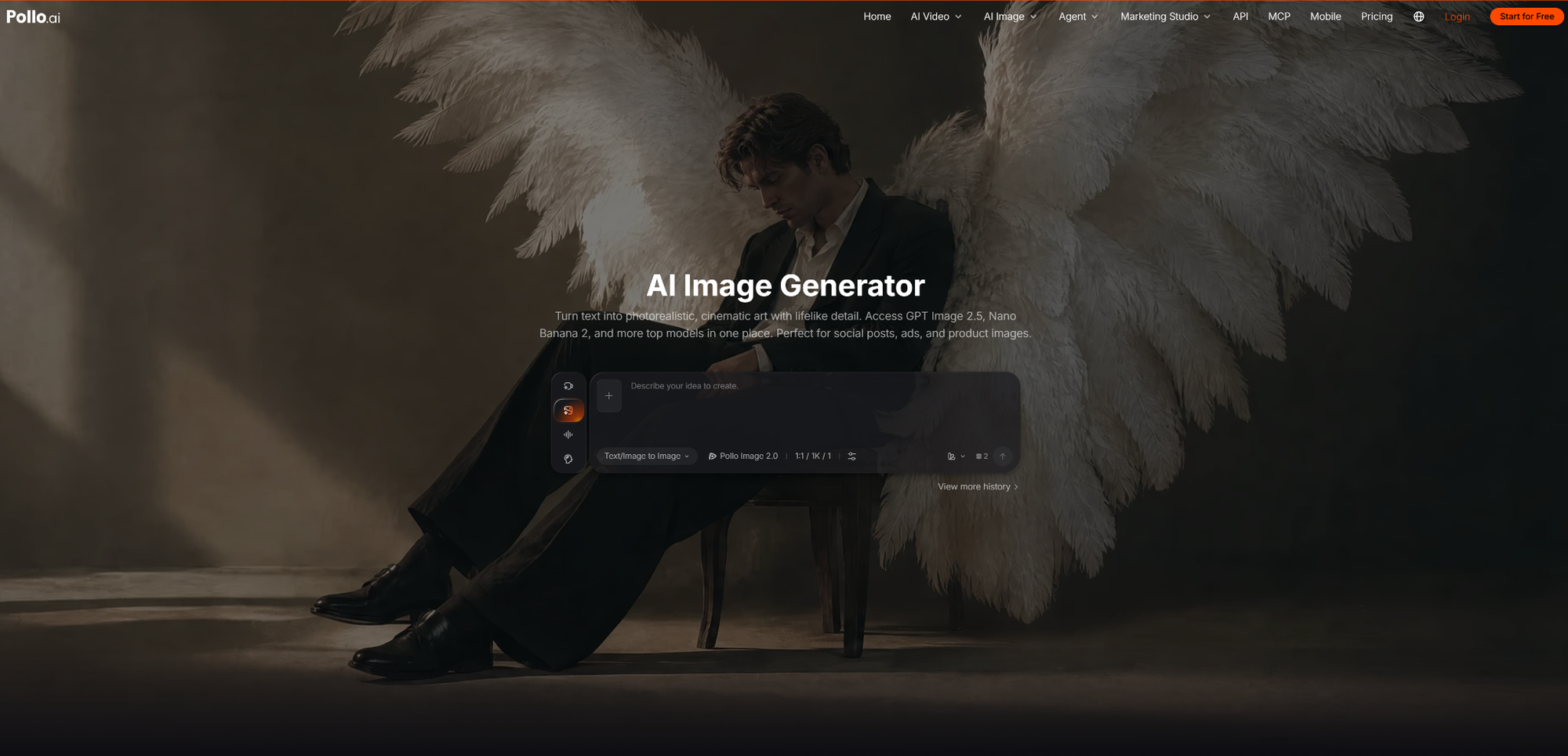
AI Image Generator from Pollo AI is an online text-to-image tool that turns written prompts into images. Users describe what they want to see, choose an available image model, and generate visuals without needing design software. The page provides access to 30+ image models, including GPT Image 2.5, Nano Banana 2.1, Seedream, FLUX, Ideogram, and Stable Diffusion, along with 2,000+ LoRA models for exploring more specific styles.
The generator supports a range of visual tasks, from photorealistic images and illustrations to promotional graphics and product visuals. Users can also specify aspect ratios such as 16:9 or 9:16, making it easier to create images for different platforms. With multiple models and style options available in one interface, the tool gives users more room to experiment without committing to a single generation approach.
Why Pollo AI Text to Image AI Generator Stands Out
This generator works well for creators who need different kinds of images and don't want to stick to one model. An online seller, for example, can make lifestyle product images, while a marketer can create campaign ideas or social media graphics without arranging a photoshoot for every concept. If the image shows a real product, though, it's worth checking the details carefully.
Pollo AI lets you switch between image models, which is useful when the first one doesn't give you the result you want. If the text in a poster looks wrong or the style feels off, you can try another model. The LoRA collection offers more styles to experiment with, and aspect-ratio settings make it easier to prepare images for different platforms. Results will vary depending on the model and prompt, so some images may need a few rounds of editing before they're ready to use.
2. Midjourney Text to Image AI Generator
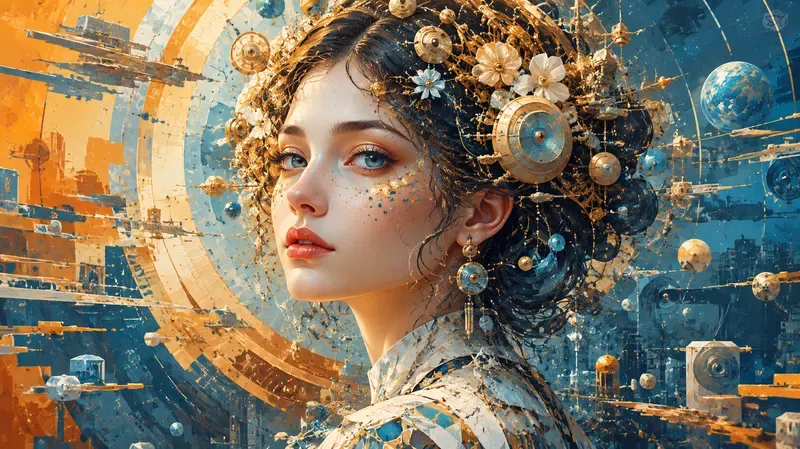
Midjourney is an AI image generator known for its distinctive visual style, particularly in illustrations, cinematic scenes, fantasy environments, and stylized portraits. It turns written prompts into images with strong attention to color, lighting, and composition.
Its tools go beyond basic generation. Style References help guide images toward a particular aesthetic, while moodboards and personalization features can help users develop a recognizable visual direction. The web-based Editor also supports adjustments such as inpainting and outpainting.
Why Midjourney Stands Out
Midjourney is a good fit when visual style matters more than getting every detail right on the first try. Concept artists can use it to explore different lighting, color palettes, and environments for a game, story, or campaign before settling on a final direction. Creators developing a series of illustrations can use Style References and moodboards to guide multiple images toward a shared aesthetic.
The Editor is also useful when an image is nearly right but needs a change. For example, you can extend a background to make room for banner text or edit part of a scene without regenerating the entire image. Midjourney works particularly well for visual exploration and concept art, but specific compositions and small details may require several iterations. Projects involving precise product features or tightly controlled layouts may need additional editing.
3. Adobe Firefly Text to Image AI Generator
Adobe Firefly is Adobe's family of generative AI tools for creating and editing visual content. Its text-to-image features generate images from written descriptions, while its broader editing capabilities help users adapt those images for design projects.
Firefly fits into Adobe's creative ecosystem, with workflows that can connect generated assets to applications such as Photoshop and Illustrator. This makes it useful for designers who need to generate an image, refine it, and incorporate it into a finished layout. Common applications include advertising concepts, campaign backgrounds, branded graphics, and illustrations.

Why Adobe Firefly Stands Out
Firefly is most useful when image generation is one step in a larger design workflow. Marketing designers can generate a campaign background with a specific color palette and enough space for a headline, then refine the composition in Photoshop. If an existing photo doesn't fit the required layout, generative editing can help extend its background or modify selected areas.
For teams that already use Adobe applications, this workflow makes it easier to combine generated assets with typography, logos, and other brand elements. Firefly's main advantage is its integration with professional design tools, but generated images still need to be checked for brand consistency, layout, and product accuracy. If you don't use Adobe software, a more standalone image-generation platform may be easier to work with.
4. GPT Image 2 Text to Image AI Generator
GPT Image 2 is an image-generation model that creates and edits visuals from natural-language instructions. Users can describe the subject, layout, lighting, and relationships between objects rather than relying only on short prompts.
It can be used for illustrations, product concepts, posters, and other visuals with multiple requirements. Its instruction-following capabilities also support iterative editing, allowing users to request changes in plain language. Available features depend on the interface through which the model is accessed.
Why GPT Image 2 Stands Out
GPT Image 2 is worth considering when you have a specific brief and want to communicate the details directly. For promotional graphics, you can describe where the product, headline, and offer should appear in a poster, although generated text still needs to be checked for spelling and legibility. For product development, you can specify materials, shape, colors, and surroundings to turn an early idea into a visual reference.
It's also useful when an image is close to what you want but needs a few changes. You can ask to adjust the background or change an object's color while keeping the rest of the image as close to the original as possible. Its main strength is working from detailed instructions without requiring a complicated setup, though complex layouts may still need revisions. Creators who want to explore a wider range of visual styles may prefer a platform that offers access to multiple models.
5. Stable Diffusion Text to Image AI Generator
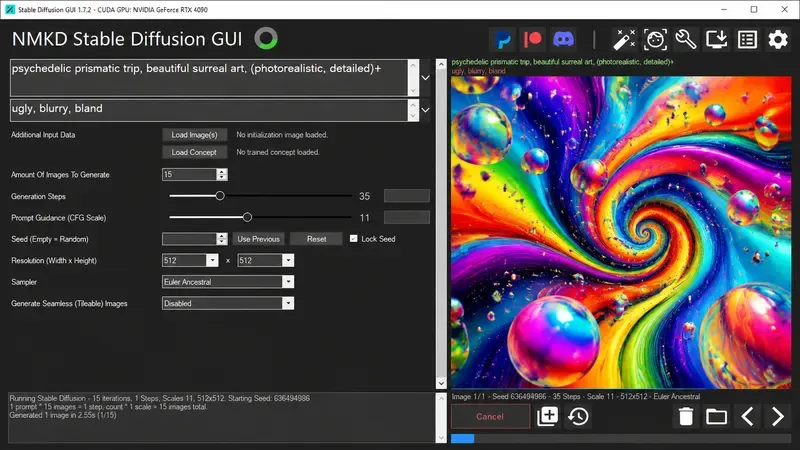
Stable Diffusion is an open model ecosystem for generating images from text prompts. Unlike a single fixed online tool, it can be used through different interfaces, including hosted services and local installations.
Depending on the implementation, users can customize generation with checkpoints, LoRAs, extensions, and other settings. This supports a wide range of outputs, from photorealistic images to illustrations and specialized artistic styles. More advanced setups can also incorporate image references, inpainting, and automation.
Why Stable Diffusion Stands Out
Stable Diffusion is best suited to users who want greater control and don't mind spending time configuring their workflow. Illustrators can test compatible checkpoints and LoRAs to find a visual style for a comic or character series, while users producing images in batches can standardize prompts, model choices, and settings to make repeated tasks easier to manage.
Technical users can also experiment with extensions and custom workflows to tailor image generation to specific needs. This flexibility is Stable Diffusion's main advantage, but it comes with a learning curve. Model compatibility, hardware requirements, and setup can take time to manage. Licensing also varies, so check the relevant terms before using generated images commercially.
Conclusion
The best text to image AI generator depends on your priorities. Midjourney is well suited to artistic exploration, Adobe Firefly fits established design workflows, GPT Image 2 is useful for detailed instructions and image editing, and Stable Diffusion offers extensive customization.
Pollo AI is a practical option for creators who work across product imagery, marketing assets, and creative projects and want access to multiple image models in one place.
Before settling on a tool, test a few representative prompts and compare not just the initial results but also how much editing each image needs. The most useful generator is the one that fits your workflow and consistently gets you closer to a result you can actually use.